Adding an advertiser
Creating an advertiser in Tracknow allows you to:
- Associate campaigns and offers with the advertiser
- Filter reports and views to display only data relevant to that advertiser
- Grant advertiser account access and restrict visibility to their associated campaigns
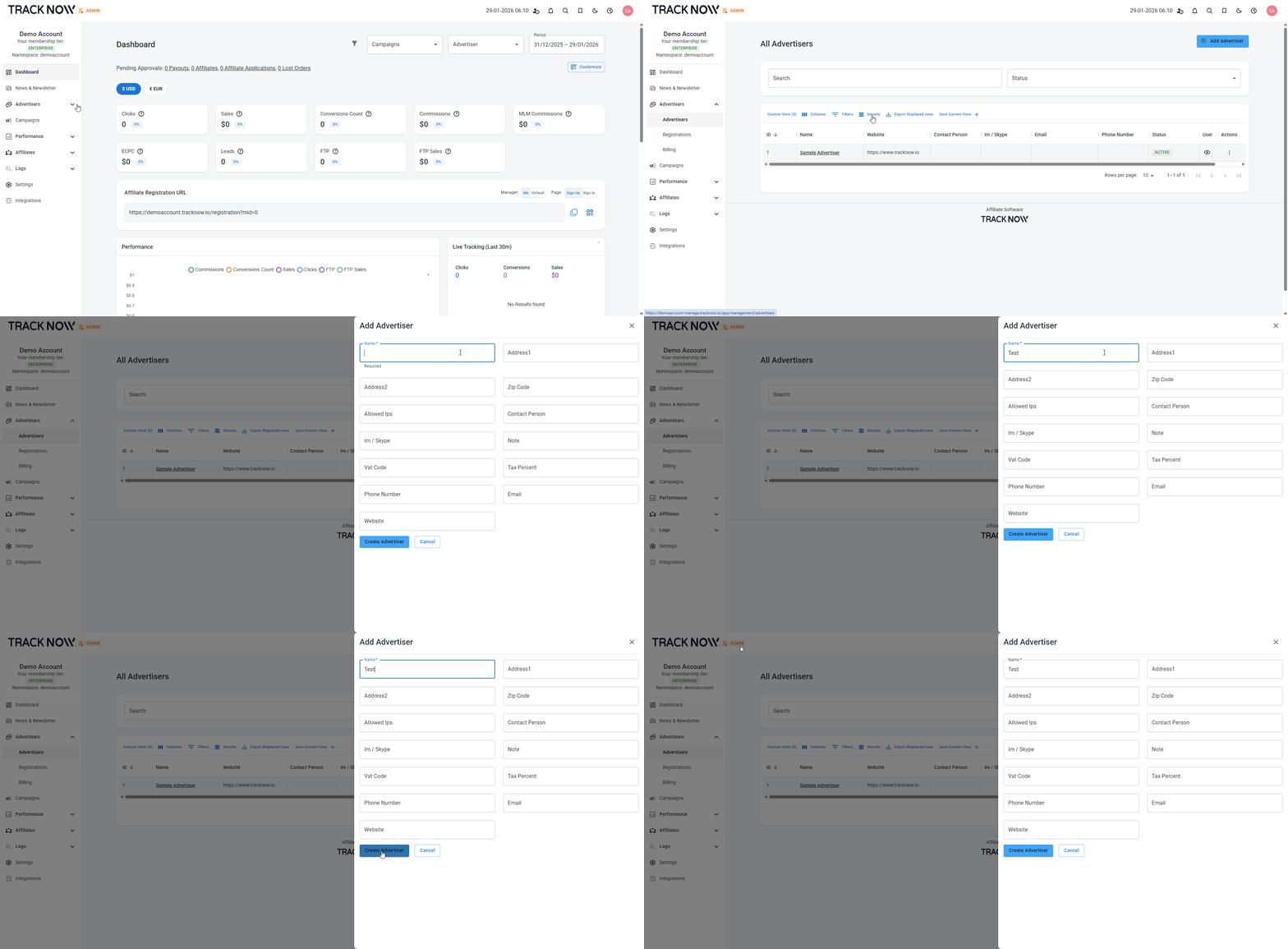
To add an advertiser, click Advertisers → Add Advertiser → Fill out the fields relevant to you about the advertiser → Create Advertiser