Affiliate Support
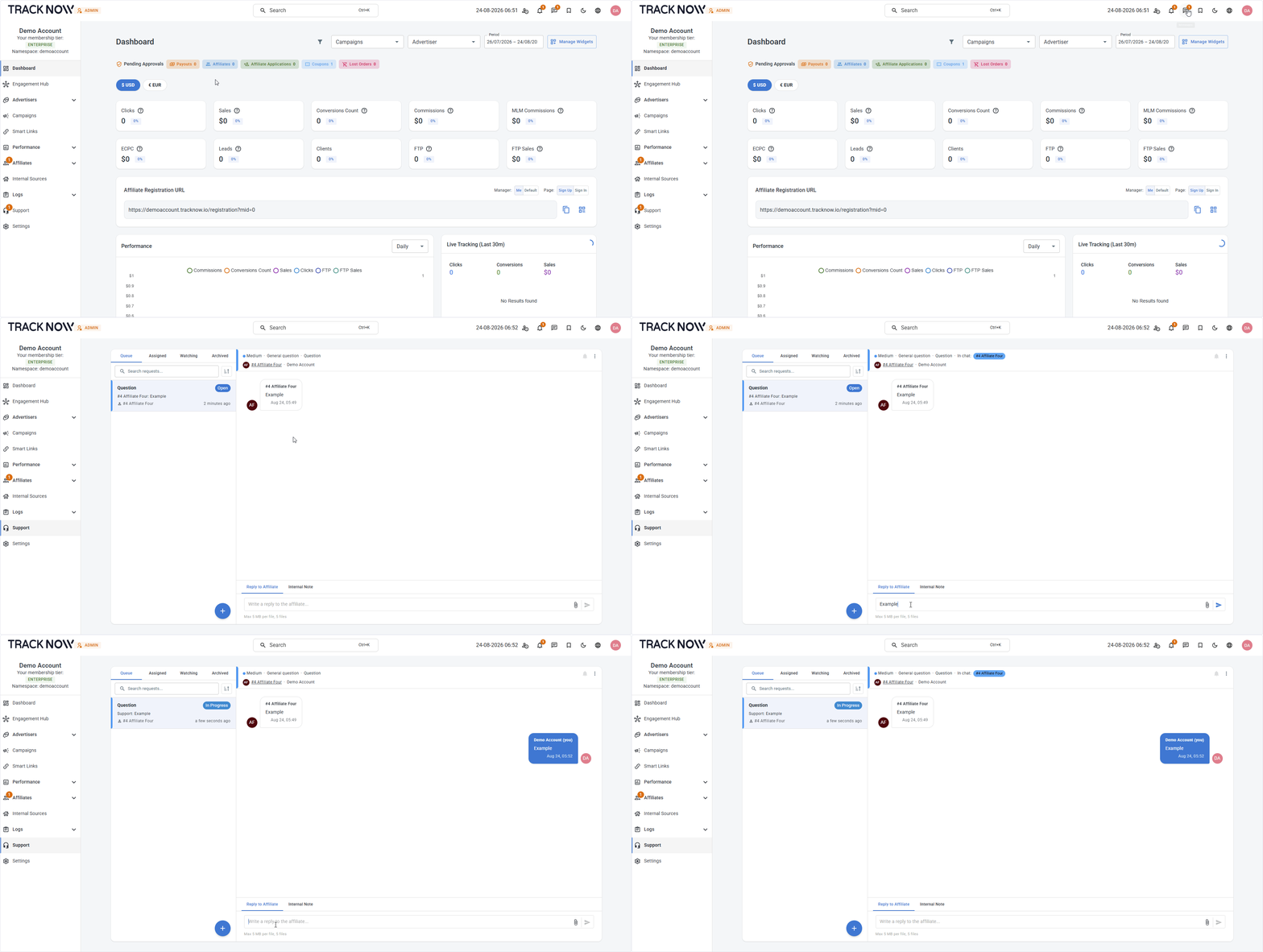
Tracknow offers two ways for you to provide support to your affiliates:
1. External Support (Default)
Affiliates can contact their assigned manager directly using the contact details provided by the manager.
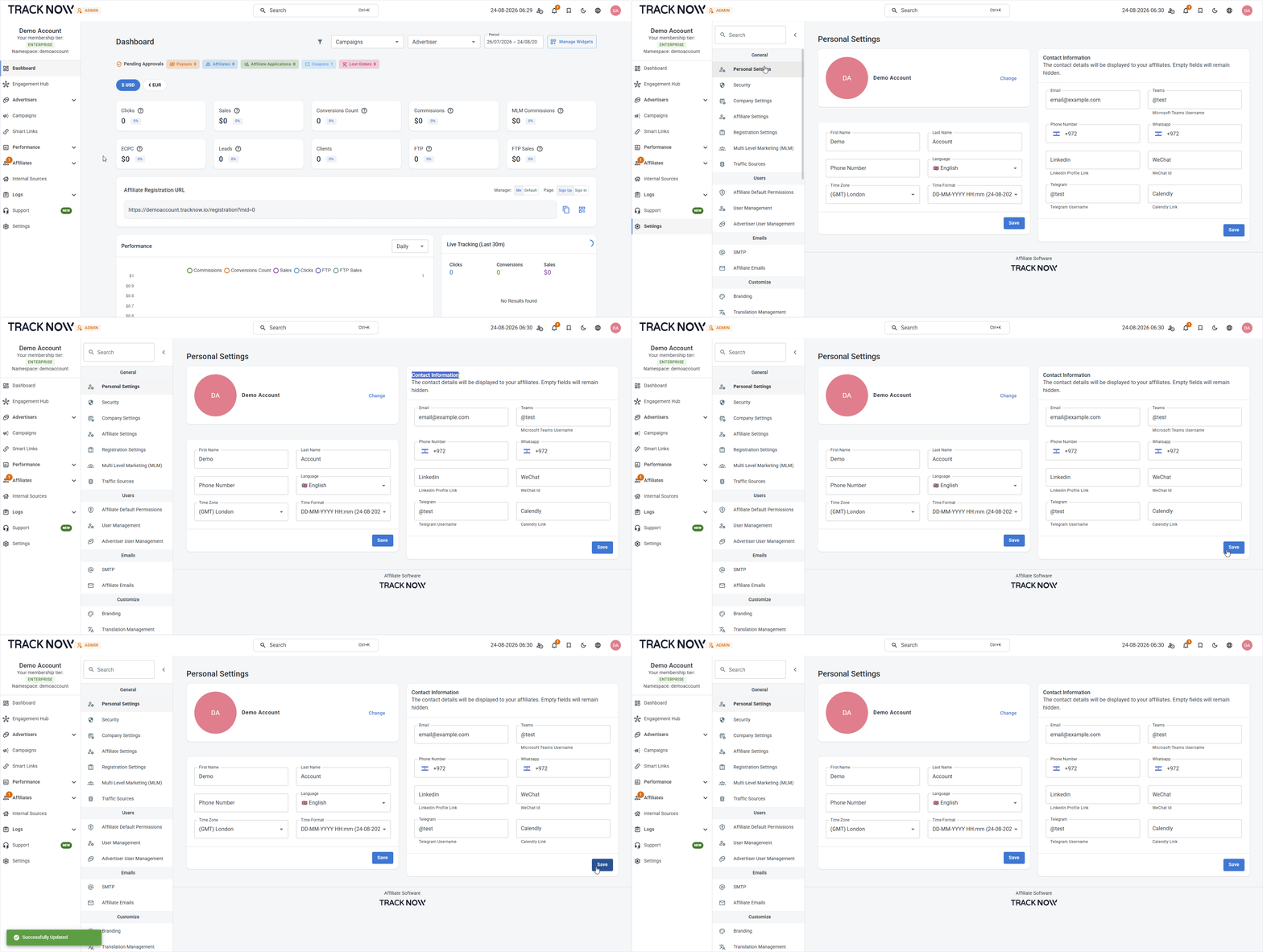
Manager contact details
Navigate to:
Settings → Personal Settings → Contact Information.
Fill out the relevant contact details, then click Save.
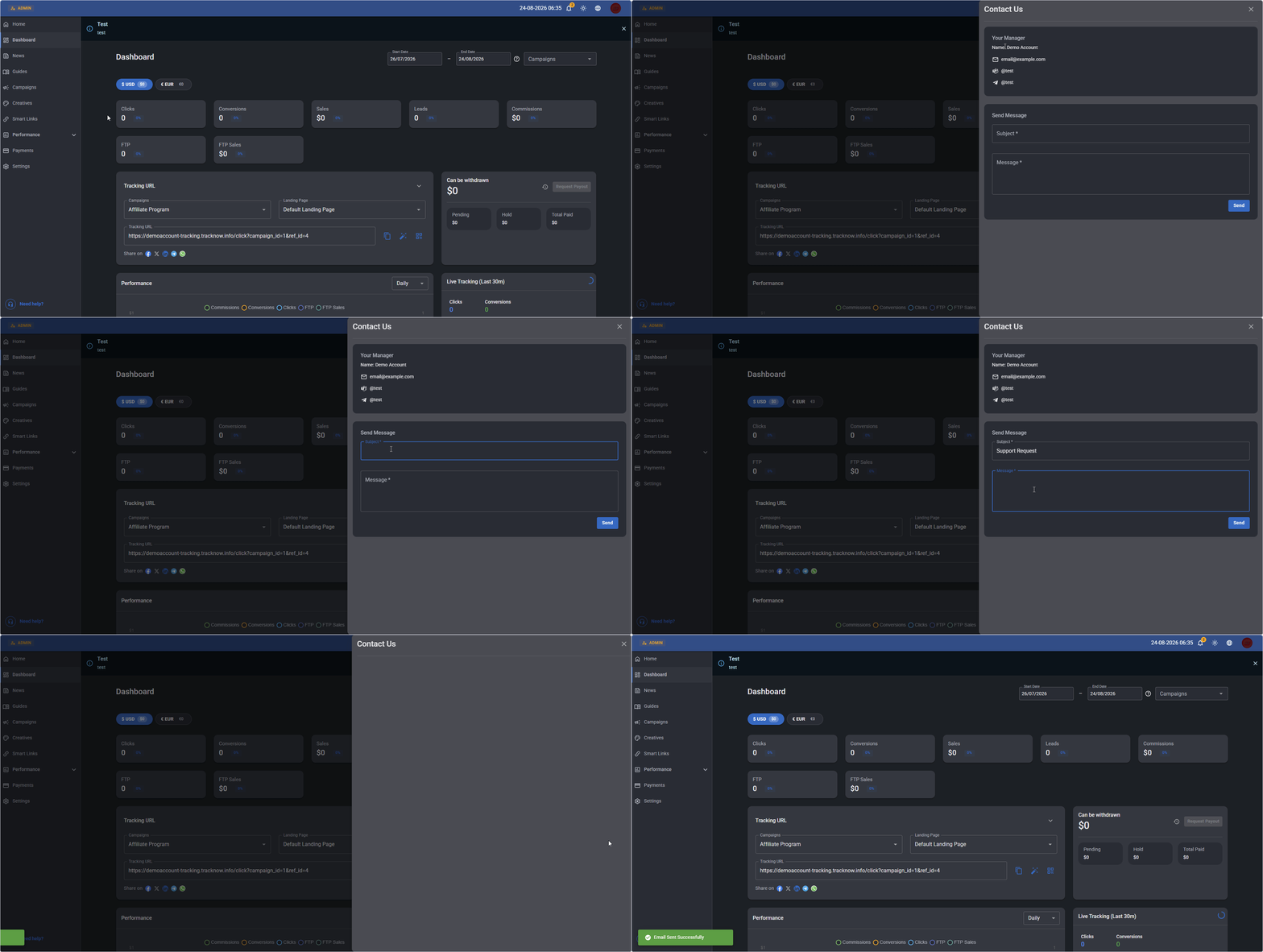
Affiliate support request
Each affiliate portal includes a Need Help? section located at the bottom of the main menu, where affiliates can view their manager’s contact information and send them an email directly from Tracknow.
2. In-Platform Support
Managers can enable In-Platform Support, allowing affiliates to contact their managers directly within Tracknow through a built-in, chat-based ticketing system (email notifications will still be sent to notify a manager that he has a new support request).
Enabling chat support
Navigate to:
Settings → Support → Toggle on Enable support requests → Save
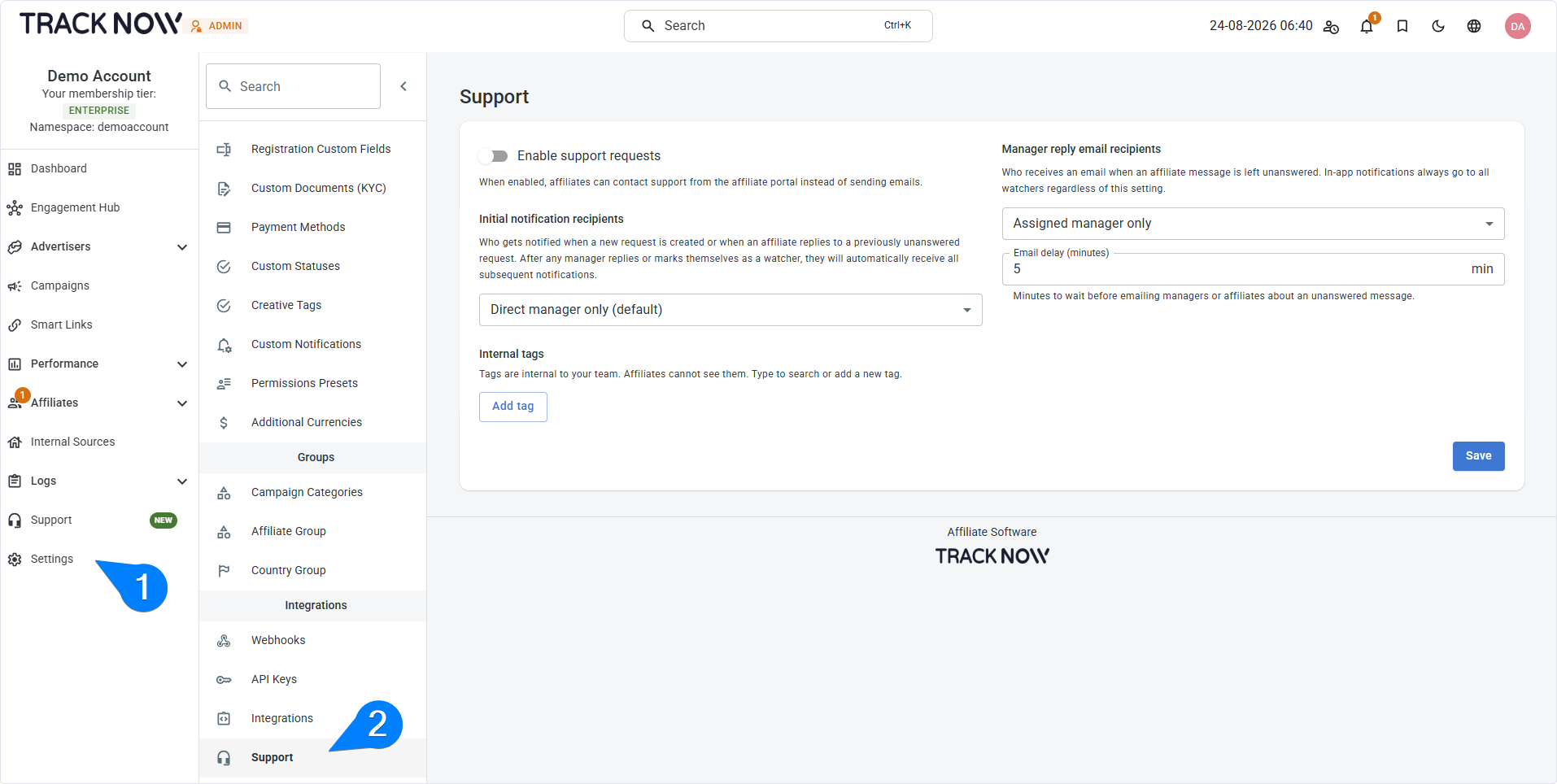
| Field | Description |
|---|---|
| Enable support requests | Toggle on to enable the chat feature. |
| Initial notification recipients | Select which managers will be notified about a new support request from an affiliate. - Direct manager - The affiliate's direct manager - Support manager - Dedicated manager for supporting affiliates |
| Manager reply email recipients | Select which managers should receive email notifications for unanswered support requests and specify how long a request must remain unanswered before the notification is sent. |
| Internal tags | Managers can create and apply tags to support chats to help categorize and organize them. |
Affiliate support request
The existing Need Help? section at the bottom of the main menu will now open a support request form, allowing affiliates to contact their manager directly within Tracknow.
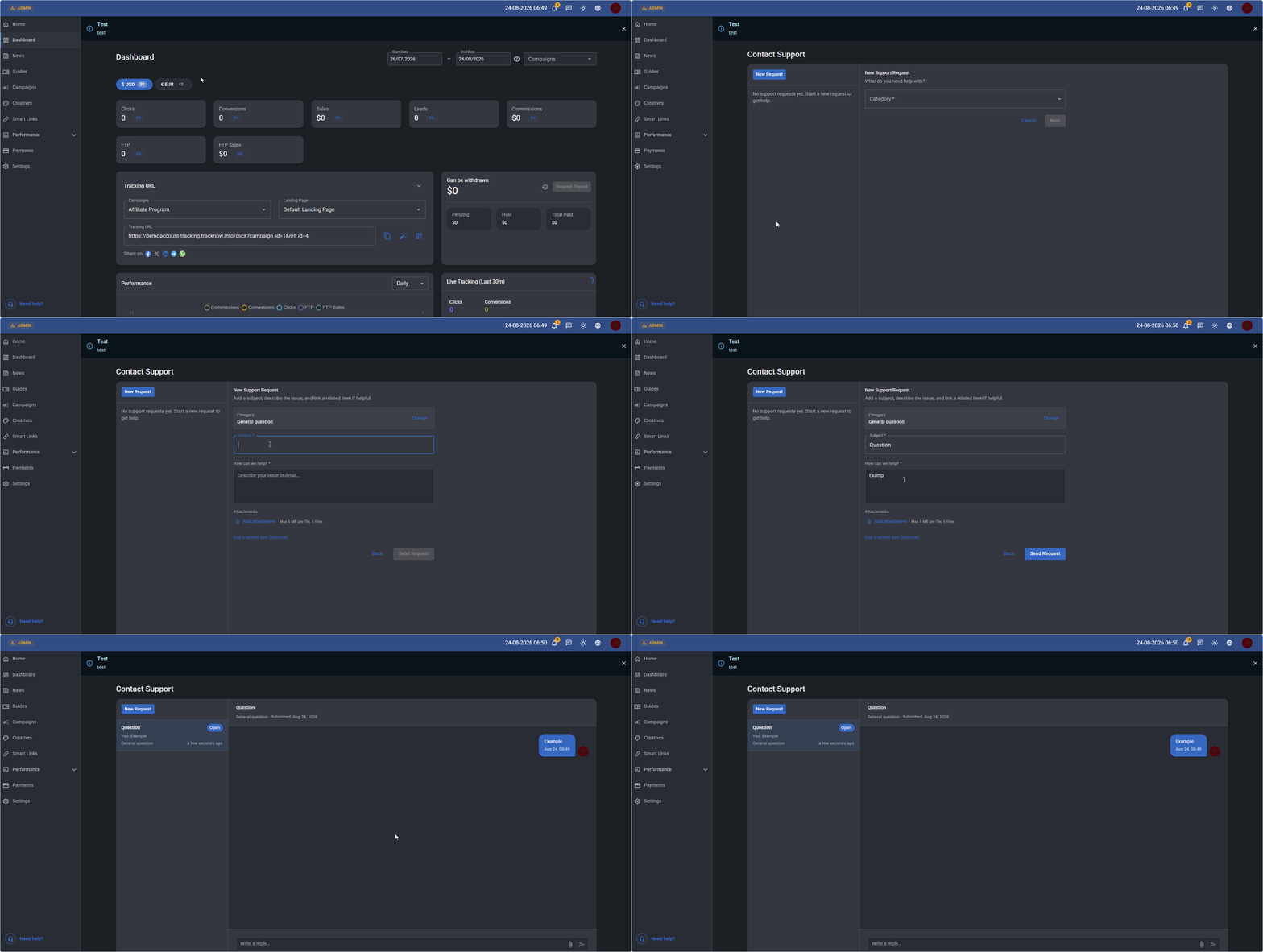
The relevant manager will be notified of the support request and can respond directly through the in-platform chat.