Custom Domain
Tracknow offers the option to set a custom domain for all affiliate-related links such as their login page and their tracking links.
By default, the affiliate login page and affiliate tracking links will be on the Tracknow domain. By creating a custom domain, all affiliate links can be seen as if on your store's subdomain.
| Type | Without custom domain | With custom domain |
|---|---|---|
| Affiliate registration page | your-domain.tracknow.io/registration | affiliates.your-domain.com/registration |
| Affiliate portal login page | your-domain.tracknow.io/login | affiliates.your-domain.com/login |
| Affiliate tracking link | your-domain-tracking.tracknow.info/click?campaign_id=1&ref_id=1 | affiliates.your-domain.com/click?campaign_id=1&ref_id=1 |
Setting Up a Custom Domain
Log in to the service that is hosting your domain, where you manage your DNS records (i.e. GoDaddy, Cloudflare, Google Domains).
info
The field naming may vary between different providers
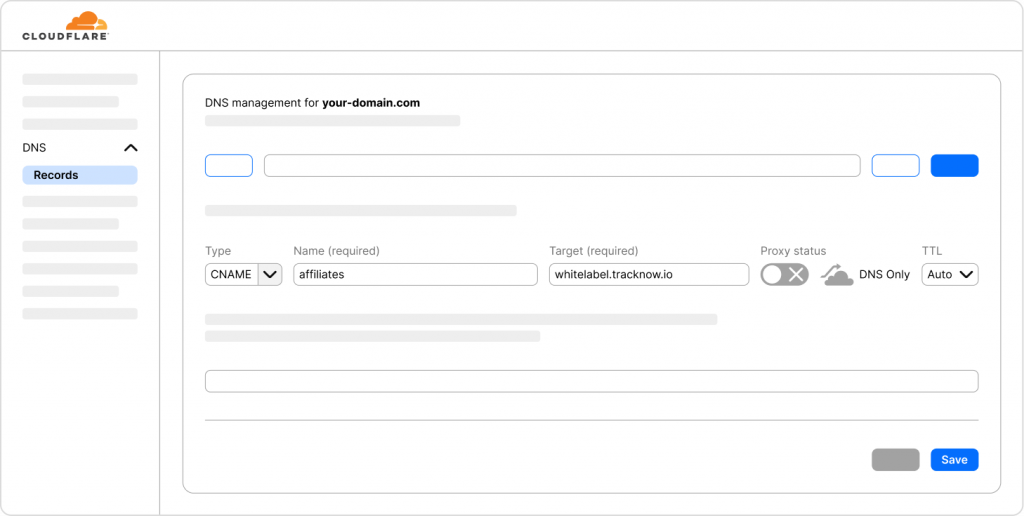
- Navigate to the area where you manage your DNS records
- Create a new DNS record of the CNAME type
- On the 'Name' field enter the sub domain (i.e. affiliates)
- On the 'Value' field enter whitelabel.tracknow.io
- If given the option to configure proxy status, select 'DNS Only'
- Save the record
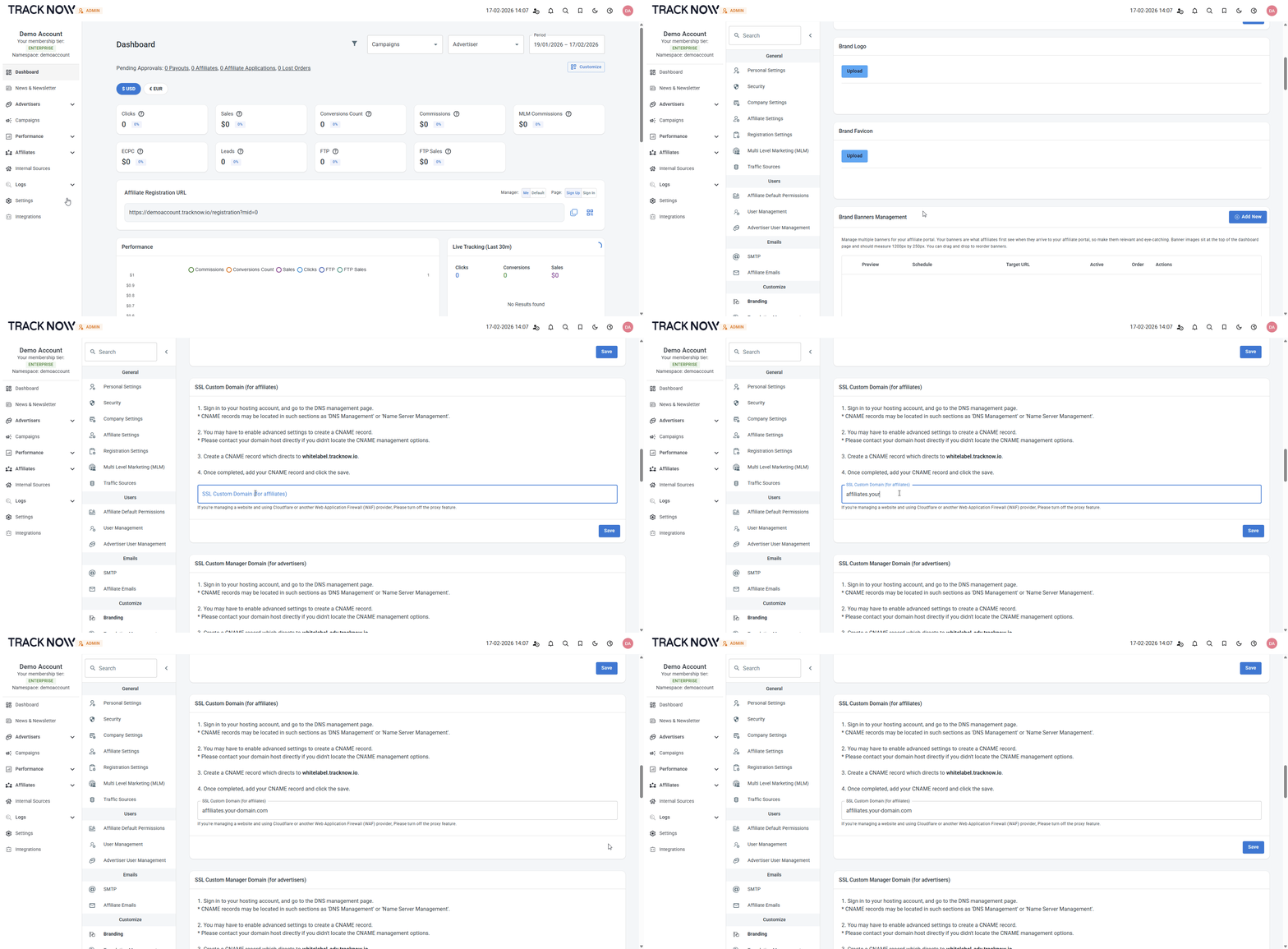
- Log into your Tracknow dashboard and navigate to the 'Settings' page
- On the secondary menu select 'Branding'
- Scroll down to the 'SSL Custom Domain (for affiliates)' section and enter your custom domain
- Click 'Save'