Announcements
Announcements allow you to display informational banners on the Affiliate Portal to communicate important updates with your affiliates.
You can use announcements to notify affiliates about changes that may affect them or actions they need to take. For example, you can inform them when a new required document has been added and needs to be uploaded.
Permission Requirements
There are two permissions that can affect a manger's ability to create/edit/view announcements:
- Affiliate Announcements - This permission allows managers to create and edit their own announcements. Disabling this permission hides the Announcements page from the manager
- Manage All Announcements - This permission allows managers to create and edit all announcements.
Note: When editing an announcement created by another manager, the Audience setting cannot be modified.
Adding Announcements
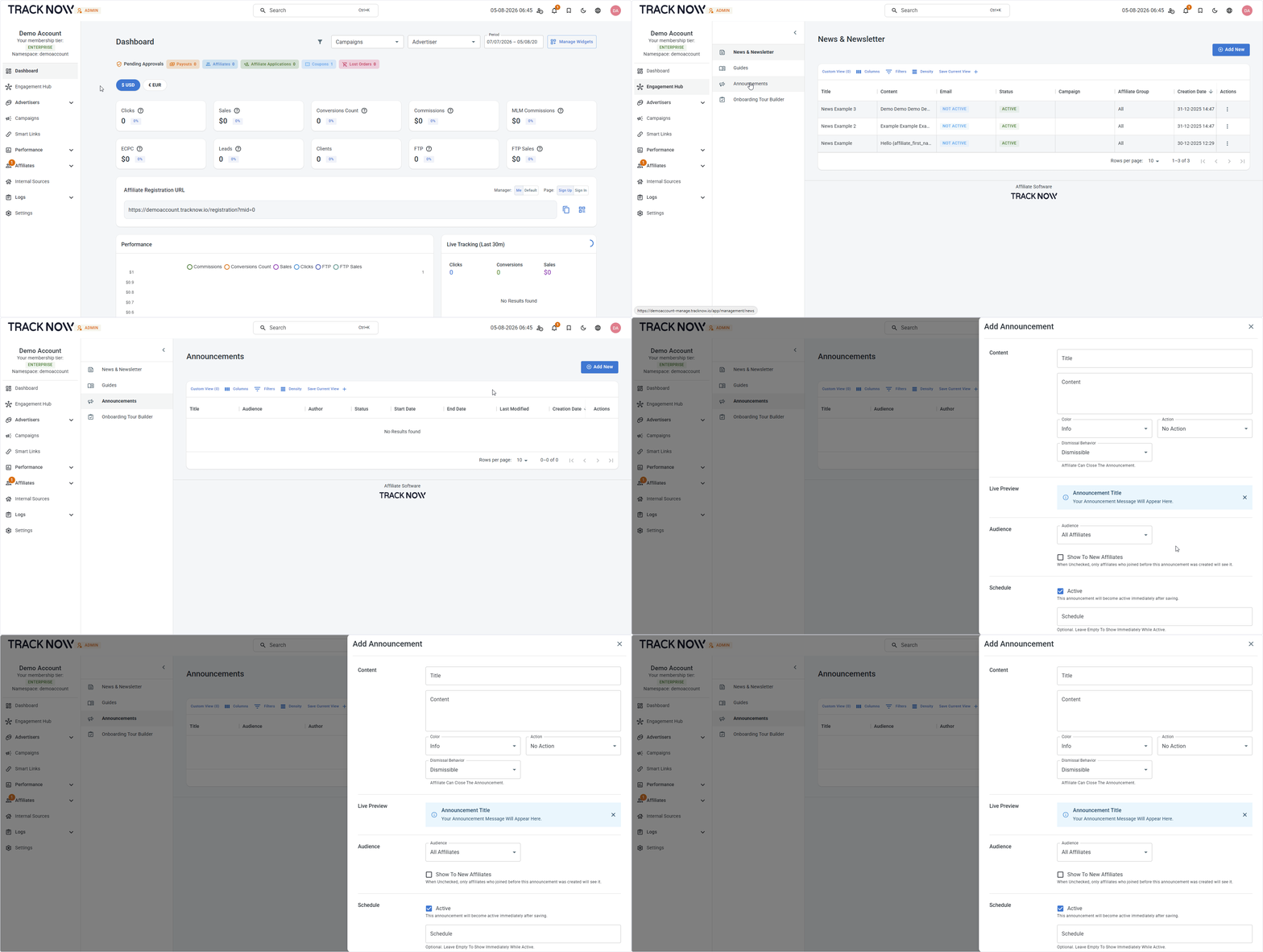
Navigate to:
Engagement Hub → Announcements → Add New
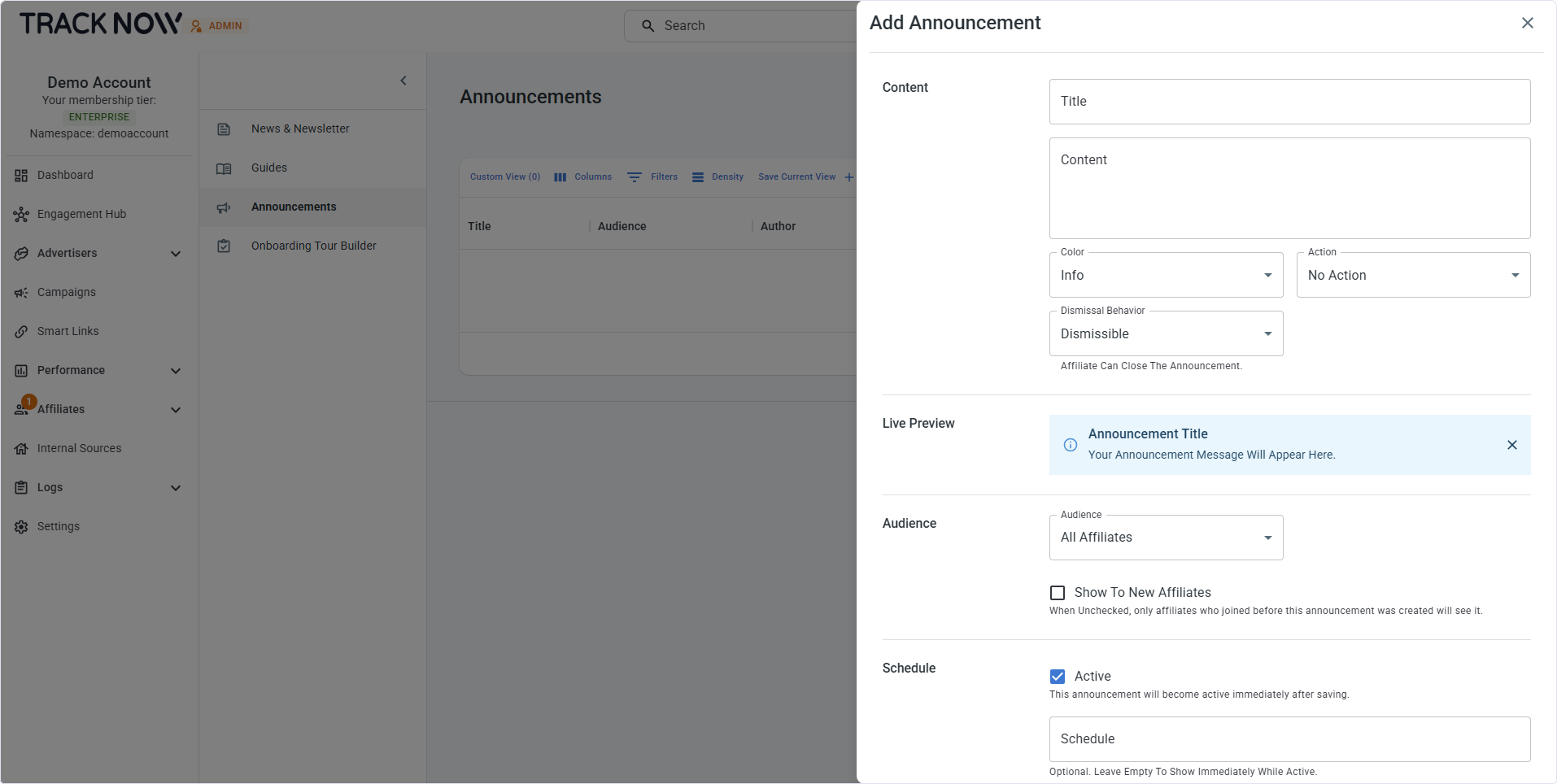
Configuration
| Field | Description |
|---|---|
| Title (Required) | Set a title for the announcement. |
| Content (Required) | Set the content of the announcement. |
| Color | Select the banner color |
| Action | Predefined buttons that direct affiliates to a specific page. See Actions below for details. |
| Dismissal Behavior | Choose whether affiliates can dismiss this announcement |
| Preview | A live preview of the banner |
| Audience | Select whether this announcement is visible to all affiliates or only to targeted affiliates |
| Show to new affiliates | Show this announcement to future affiliates who match the targeting criteria |
| Active | Activate the announcement to make it visible to affiliates |
| Schedule | Set a start and end date to display the announcement for a limited time |
Action Buttons
| Button | Description |
|---|---|
| Complete KYC | Banner button that directs the affiliate to the required documents page |
| View Campaign | Banner button to that directs the affiliate to a specific campaign page |
| Custom Action | Banner button to that directs the affiliate to a custom page you select |