Using MCP with Tracknow
The MCP Integration enables AI tools and other MCP-compatible clients to securely access your Tracknow account. After configuring the connection, you can use supported applications to retrieve information, manage your affiliate program, and perform supported Tracknow actions using natural language.
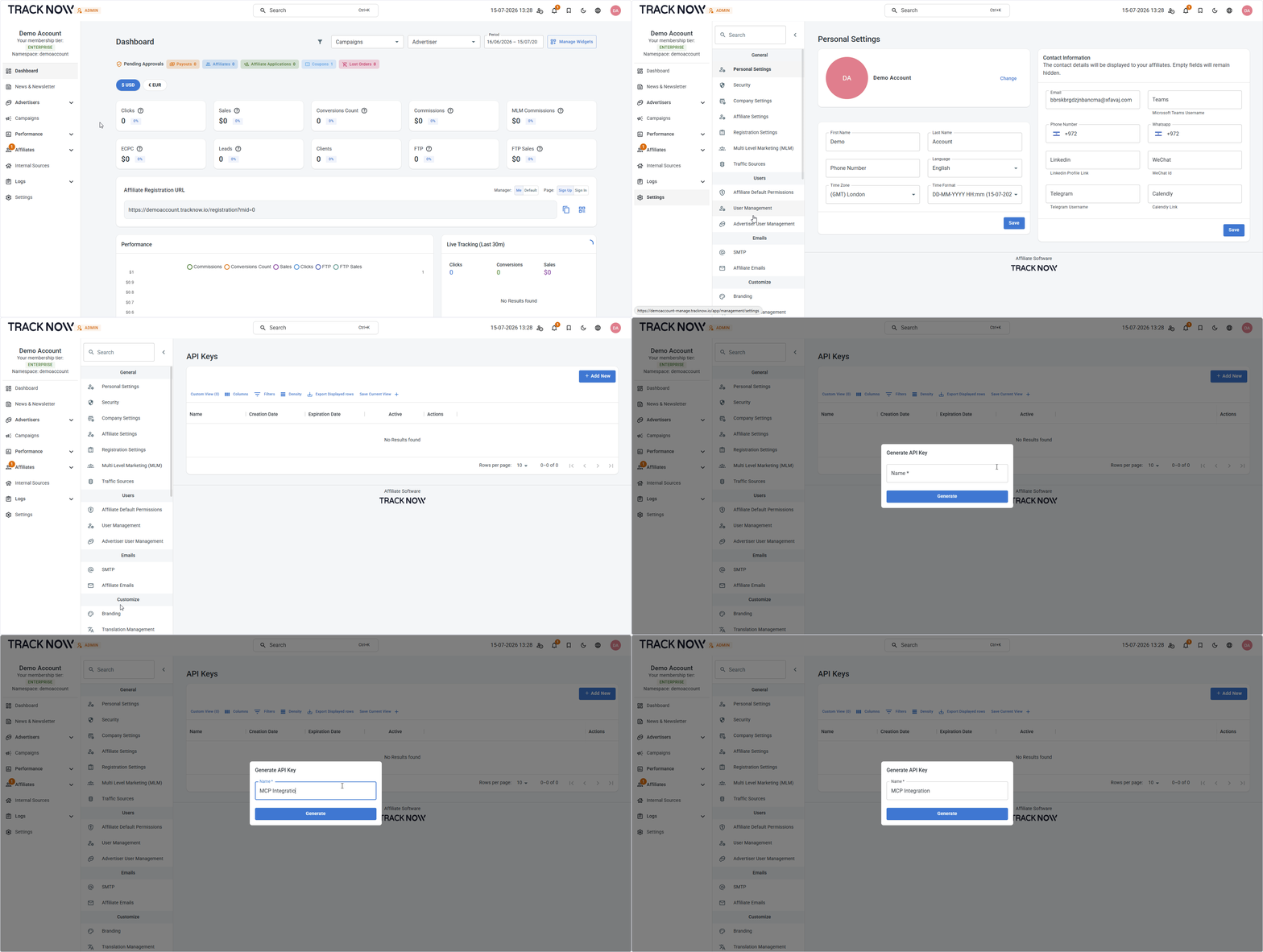
Generate an API key
Login to your Tracknow dashboard and navigate to:
Settings → API Keys → Add New
Configure the MCP
MCP server URL:
https://mcp.tracknow.io/mcp
MCP server configuration:
{
    "mcpServers": {
      "tracknow-admin": {
        "url": "https://mcp.tracknow.io/mcp",
        "headers": {
          "Authorization": "Bearer YOUR_API_KEY"
        }
      }
    }
  }
info
Replace YOUR_API_KEY with your actual generated API key.
You can rename tracknow-admin to any name you prefer.