WIX Integration
Tracknow integrates with WIX stores to automatically transmit data for completed purchases into your Tracknow dashboard. This enables accurate tracking and attribution of purchases made by customers referred by your affiliates.
Prerequisites
Both integration methods require you to enable passing our unique affiliate identifier click_id to your landing page. For instructions, click here.
Integration
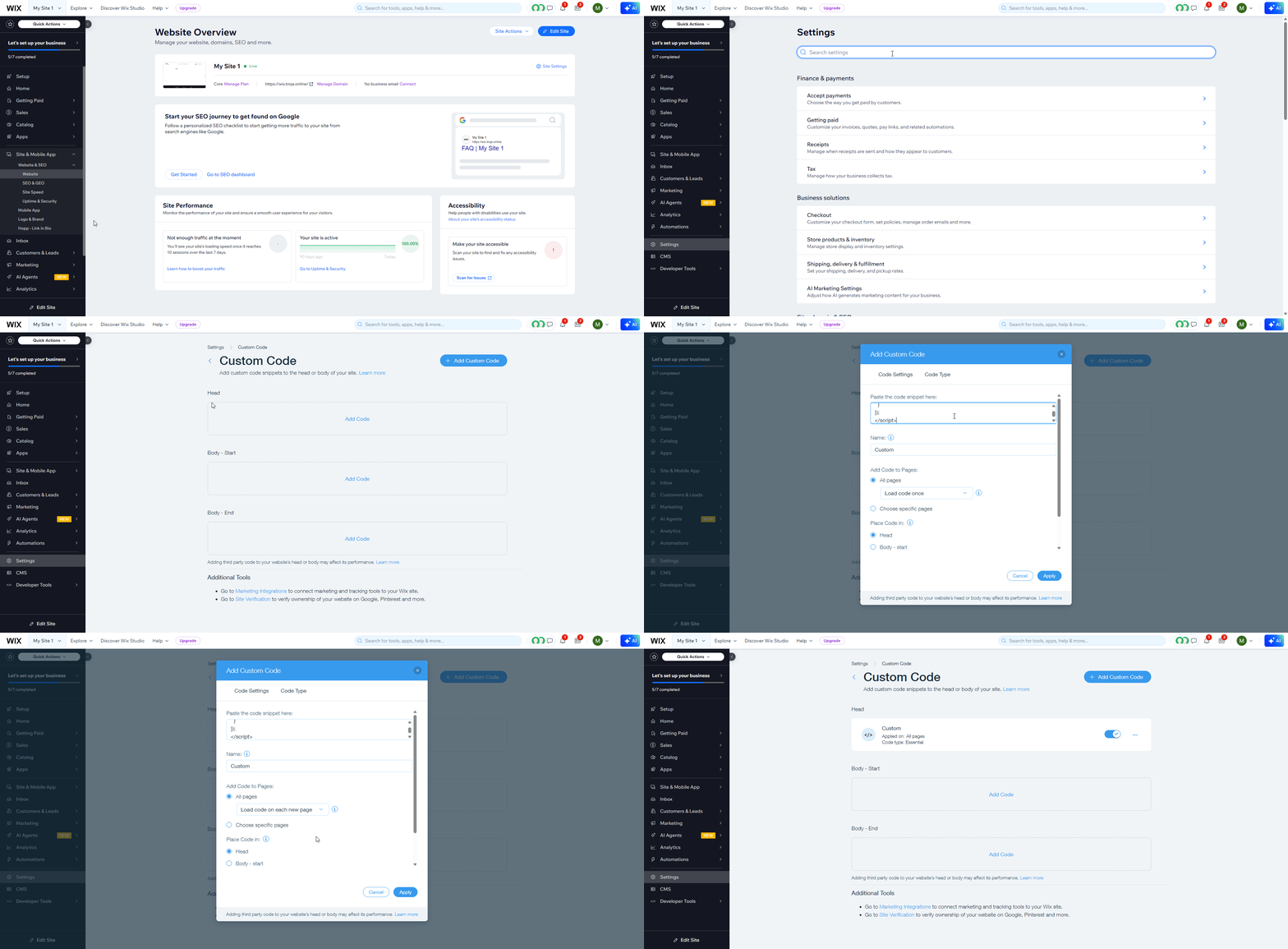
On your Wix dashboard navigate to Settings → Custom Code → Add Custom Code to the head section and choose to load code on each new page.
<script>
import wixLocation from 'wix-location';
import { local } from 'wix-storage';

$w.onReady(function () {
  const clickId = wixLocation.query.click_id;

  if (clickId) {
    local.setItem("click_id", String(clickId));
  }
});
</script>
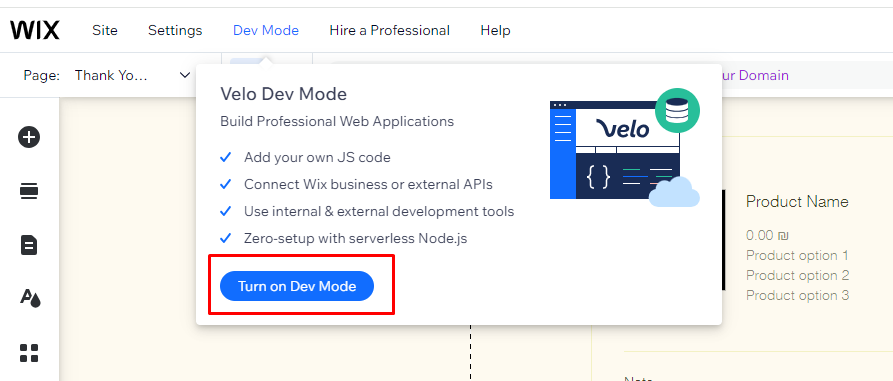
Next, enable Velo Dev Mode for your website if it isn't on already.
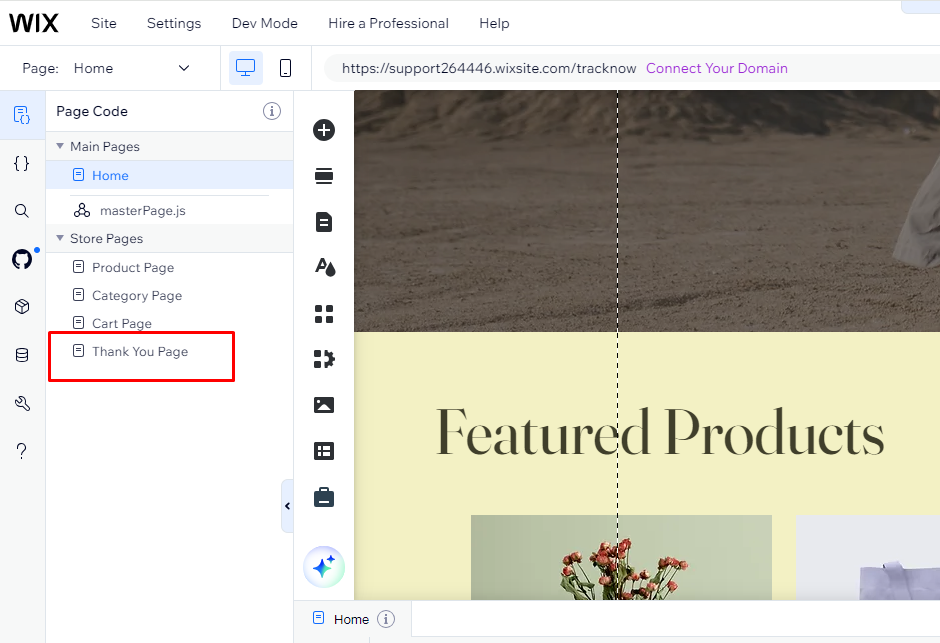
Click My Store on the left menu → Store Pages → Thank You Page
Add an HTML embedded code by clicking Add → More → Embeds on the left menu.
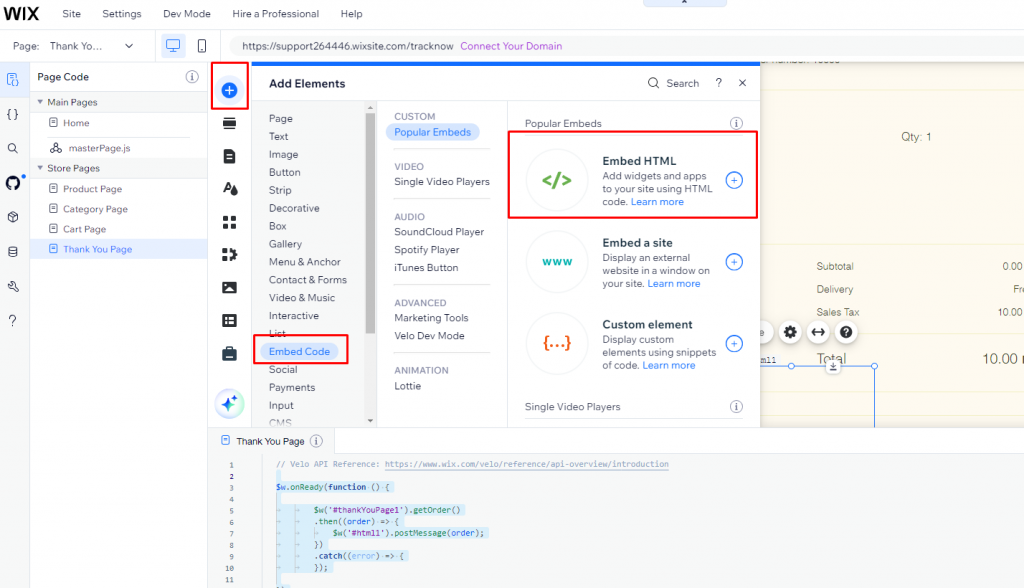
Add the following code:
<script type="text/javascript">
  window.onmessage = (event) => {
    const data = event.data;
    if (!data || data.type !== "ORDER_AND_CLICK") return;

    const order = data.order;
    const clickId = data.click_id || "";

    // --- Calculate amount WITHOUT shipping ---
    const orderTotal = Number(order?.totals?.total ?? 0);

    const shippingAmount =
      Number(order?.totals?.shipping ?? 0) ||
      Number(order?.shippingInfo?.shippingFee ?? 0);

    const amountWithoutShipping = Math.max(
      0,
      (orderTotal - shippingAmount).toFixed(2)
    );

    // --- Extract coupon code (if any) ---
    let couponCode = "";
    if (order?.discount?.coupon?.code) {
      couponCode = order.discount.coupon.code;
    } else if (Array.isArray(order?.discounts) && order.discounts[0]?.coupon?.code) {
      couponCode = order.discounts[0].coupon.code;
    }

    var img = document.createElement("img");
    img.src =
      "https://{namespace}-tracking.tracknow.info/success.jpg" +
      "?campaign_id={campaign ID}" +
      "&amount=" + encodeURIComponent(amountWithoutShipping) +
      "&order_id=" + encodeURIComponent(order?.number ?? "") +
      "&click_id=" + encodeURIComponent(clickId) +
      "&coupon=" + encodeURIComponent(couponCode);

    img.height = "1";
    img.width = "1";
    img.style.display = "none";
    document.body.appendChild(img);
  };
</script>
Replace the {namespace} placeholder with your actual Tracknow namespace before pasting this URL.
Replace the {campaign ID} placeholder with your actual Tracknow campaign ID before pasting this URL.
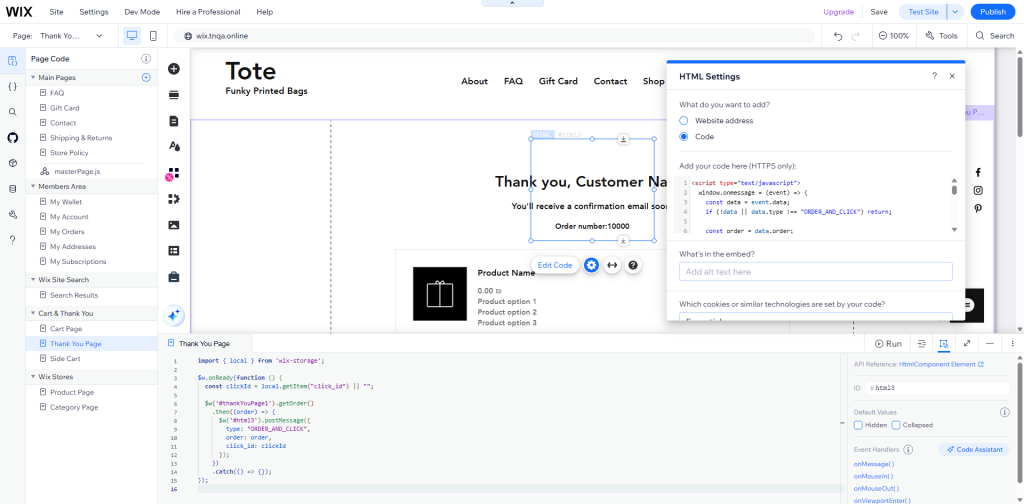
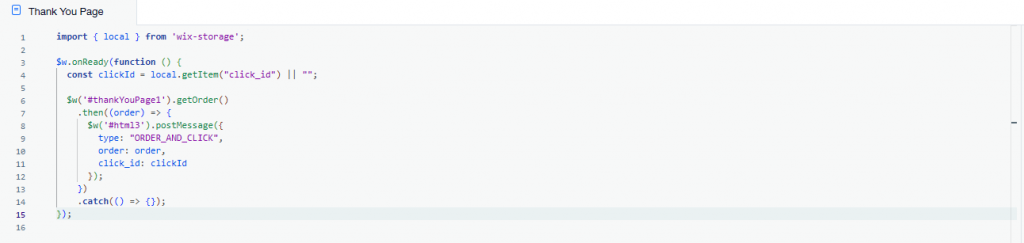
Add the following code to the Thank You Page code page and replace ‘thankYouPage1’ ID to the actual thank you page ID if it’s different and also replace embedded html id from “html3” to the ID Wix generated for that element.
import { local } from 'wix-storage';

$w.onReady(function () {
  const clickId = local.getItem("click_id") || "";

  $w('#thankYouPage1').getOrder()
    .then((order) => {
      $w('#html3').postMessage({
        type: "ORDER_AND_CLICK",
        order: order,
        click_id: clickId
      });
    })
    .catch(() => {});
});